
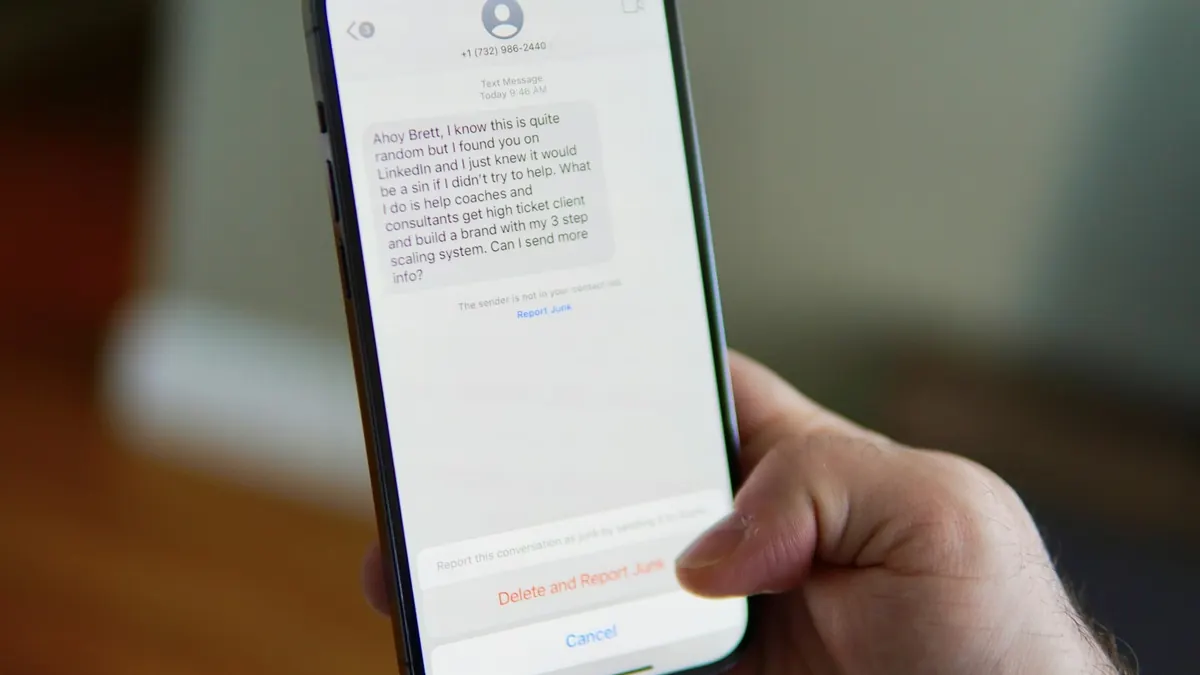
Most phishing, fake login pages and malware downloads start the same way: someone clicks a link they didn't check. Checking takes seconds, and you don't need to be technical to do it.
This guide covers seven ways to check a link, starting with the ones that need no tools at all.
Read the real domain, not the words around it. If you weren't expecting the message, don't use the link at all: go to the site yourself. When you still can't tell, a scanner can check the link against blocklists and antivirus engines without your device opening it.
Why Checking Links Matters
A single malicious link can lead to stolen passwords, ransomware infections, or unauthorized access to your bank account. Attackers use several techniques to make links look legitimate:
- URL shorteners that hide the real destination (bit.ly, tinyurl, etc.)
- Lookalike domains that mimic trusted brands (paypa1.com, g00gle.com)
- Subdomains that put a trusted brand name before a malicious domain (paypal.evil.com)
- HTTPS deception — a padlock icon does not mean a site is safe, only that it's encrypted
- Redirect chains that pass through several sites before reaching the malicious destination
- 1 paypal.com. is only a subdomain. Anyone who owns a domain can put any words in front of it.
- 2 acct-verify-7731.co is the real domain: the last name-plus-ending before the first single
/. This is who controls the page. - 3 /login?id=48213 is the path. It can say anything and proves nothing.

7 Ways to Check If a Link is Safe
Don't use the link: go to the site yourself
The most reliable check is not to need one. If an email says your bank account is locked, open your bank's app or type its address yourself. If the problem is real, you will see it there. This works for every brand, every time, and costs nothing.
Hover over the link before clicking
On desktop, hover your mouse over any link without clicking. The actual URL appears in the bottom-left corner of your browser. Check that the domain matches what you'd expect: for a PayPal email, the link should go to paypal.com, not paypal.secure-login.net.
Inspect the domain name carefully
Find the part between https:// and the first single /, then read it from the right. The real domain is the last name plus its ending, such as paypal.com or bbc.co.uk. Everything to the left of it is a subdomain the owner chose.
Red flags: numbers swapped for letters (paypa1.com), extra words (paypal-secure.com), or the brand used as a subdomain (paypal.scammer.com). The example above shows all three ideas in one link.
Expand shortened links first
A bit.ly or tinyurl link hides where it goes. Add a + to the end of a bit.ly link (bit.ly/xyz+) to see its preview page without visiting the destination.
For other shorteners, a link expander or a scanner that traces redirects will show every hop and the final address. Read that final domain the same way as in step 3.
Check Google Safe Browsing
Google keeps a constantly updated list of phishing and malware sites, the same list behind Chrome's red warning pages. You can look up a site on Google's Safe Browsing site status page. If you find a phishing page Google doesn't know about yet, report it.
Look up the domain age
Many phishing sites run on domains registered days or weeks earlier, because blocklists catch them quickly and scammers keep buying new ones. A domain a few weeks old that claims to be your bank is a strong warning sign. You can check a domain's registration date at who.is.
An old domain isn't automatically safe, though. Attackers also break into legitimate websites and hide phishing pages on them.
Run it through a scanner
When the checks above leave you unsure, a scanner gives a second opinion without your device loading the page.
Scanify, for example, sends the link to VirusTotal's multiple antivirus engines, Google Safe Browsing and the urlscan.io sandbox, checks the domain's age and certificate, and traces redirects. It lists what each source said, so you can see why it reached its verdict.
Red Flags That Signal a Dangerous Link
Even before you scan a link, certain patterns are strong indicators of malicious intent:
- Urgency language — "Your account will be suspended," "Act now," "Verify immediately"
- Unexpected messages — A package delivery notification when you haven't ordered anything
- Mismatched sender — Email claims to be from PayPal but comes from a Gmail address
- No context — A link sent by a contact with no explanation ("Check this out!")
- HTTP instead of HTTPS — Legitimate sites almost always use HTTPS in 2026
- A bare IP address instead of a name — A login link like
http://203.0.113.7/loginis rarely legitimate. Real companies put their sign-in pages on their own domain.
How to Check a Link on Mobile
On a smartphone, hovering isn't an option. Here's how to inspect a link on mobile:
- Long-press the link — on both iOS and Android, holding a link shows a preview of the URL and a menu with options
- Copy the link — choose "Copy link" from the long-press menu and paste it into a notes app, where you can read the whole address, or into a scanner
- Watch out for live previews — on iPhone, the long-press preview loads the page. Tap Hide Preview so later long-presses show only the address
What a scan can't tell you
Scanners, including ours, check a link against what is already known about it. That leaves gaps worth knowing about:
- Brand-new pages. A phishing page set up an hour ago may not be on any blocklist yet. A young domain is a warning sign; a clean verdict on one is not a guarantee.
- Hacked legitimate sites. Attackers hide pages on old, trusted domains. Domain age and certificates look fine, so the page itself has to give the scam away.
- Links that change by visitor. Some scam pages show a harmless page to scanners and the real one to phones in a target country.
- Private links. Don't scan a link that contains something personal, such as a password-reset code or a shared-document key. Scanners send it to third parties, and some of those publish what they are sent.
That is why step 1 above is the most reliable one: if you never use the link, none of this matters.
What Happens If You Click a Bad Link?
If you've already clicked a suspicious link, act quickly:
- Don't enter any information on the page — close it immediately
- Change your passwords for any accounts associated with the site that was impersonated
- Run an antivirus scan on your device to check for malware that may have been downloaded
- Enable two-factor authentication on critical accounts (bank, email, social media)
- Check your accounts for unauthorized activity over the next few days